Editing Products
Editing One Product at a Time
- Select the product that you wish to edit (See Searching and Viewing Products).
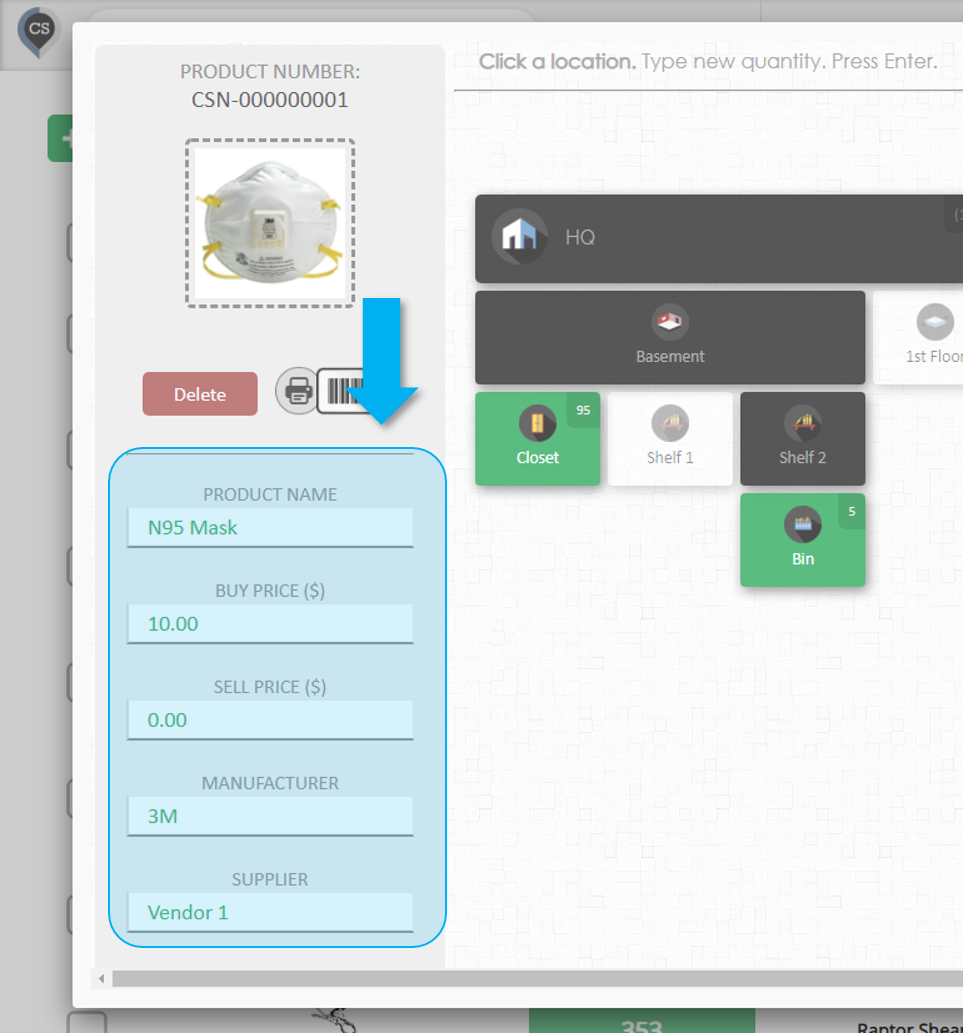
- Edit any of the product's fields
- The fields on the left side of the window can be edited.
- Type anything in the field you want to change and press Enter or click anywhere.
Editing Multiple Products
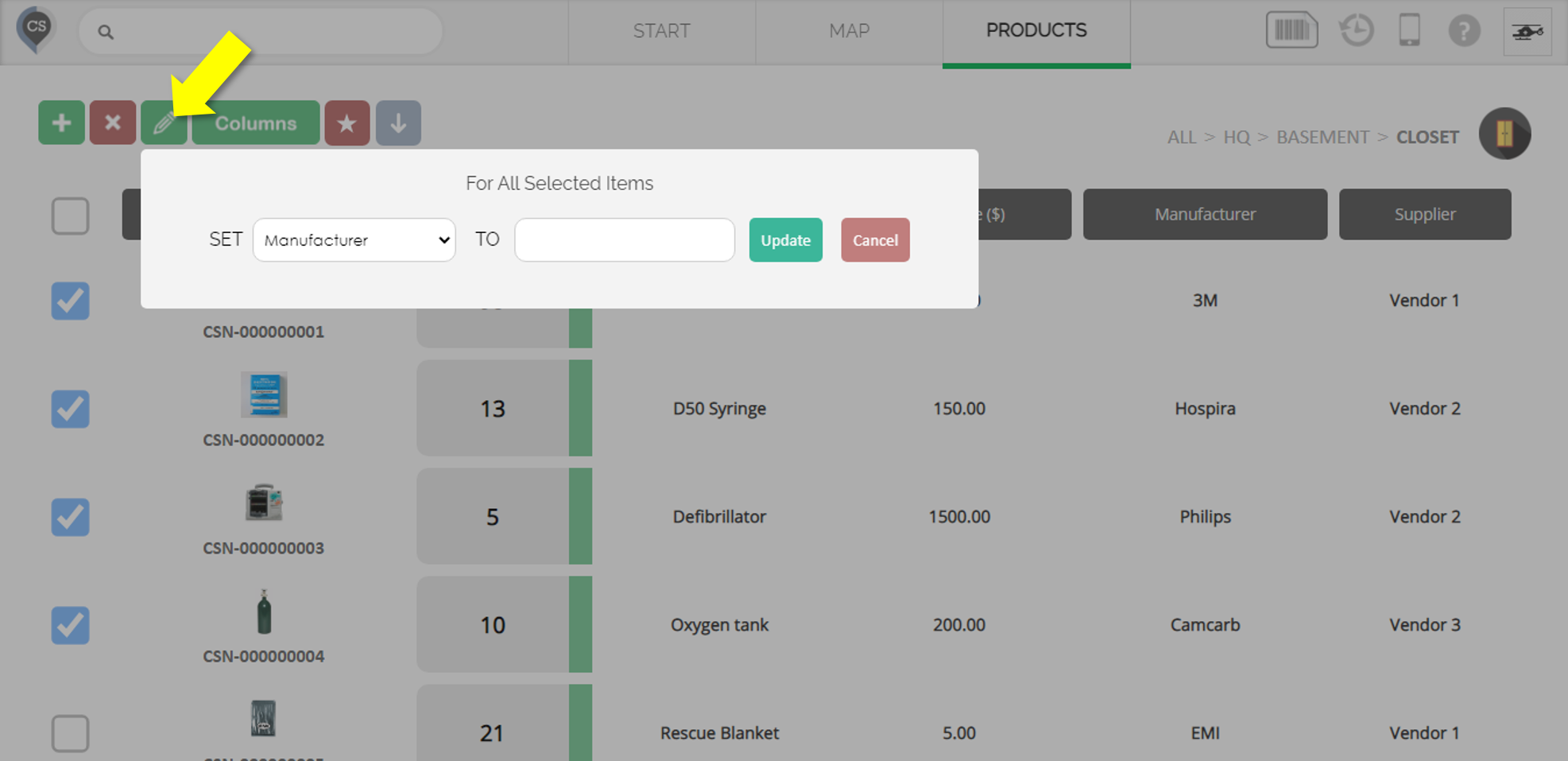
- Go to the Products page
- Select all the products you want to edit by clicking the checkbox beside each one
- Click the green Multi-Edit button (Pencil icon)
- Update the product field
- Select the field you want to change
- Set the value for that field
- Click 'Update'
- The change will apply to all the products you selected.
Did this answer your question?
Thanks for the feedback
There was a problem submitting your feedback. Please try again later.
No results found
