Read-Only Users
The Read-Only feature in CyberStockroom lets admins invite users with limited access. These users can view the map, product details, and activity history—but they cannot make any changes to the account or inventory.
This is ideal for team members who need visibility into the system without editing permissions.
✅ Read-only users can:
- View the Inventory Map
- View Products and Product Details
- View the Activity History
🚫 Read-only users cannot:
- Modify settings
- Check items in or out
- Create, edit, delete, or move products
- Create, edit, or delete locations
Admins can assign read-only access either when inviting new users or by editing the access for existing users.
How to Set Up the Read-Only Feature
- Go to the Settings page.
- Scroll down to the Profile & Team section.
3. Enter the user’s name and email address in the fields provided.
4. Select the Read-only as the user type
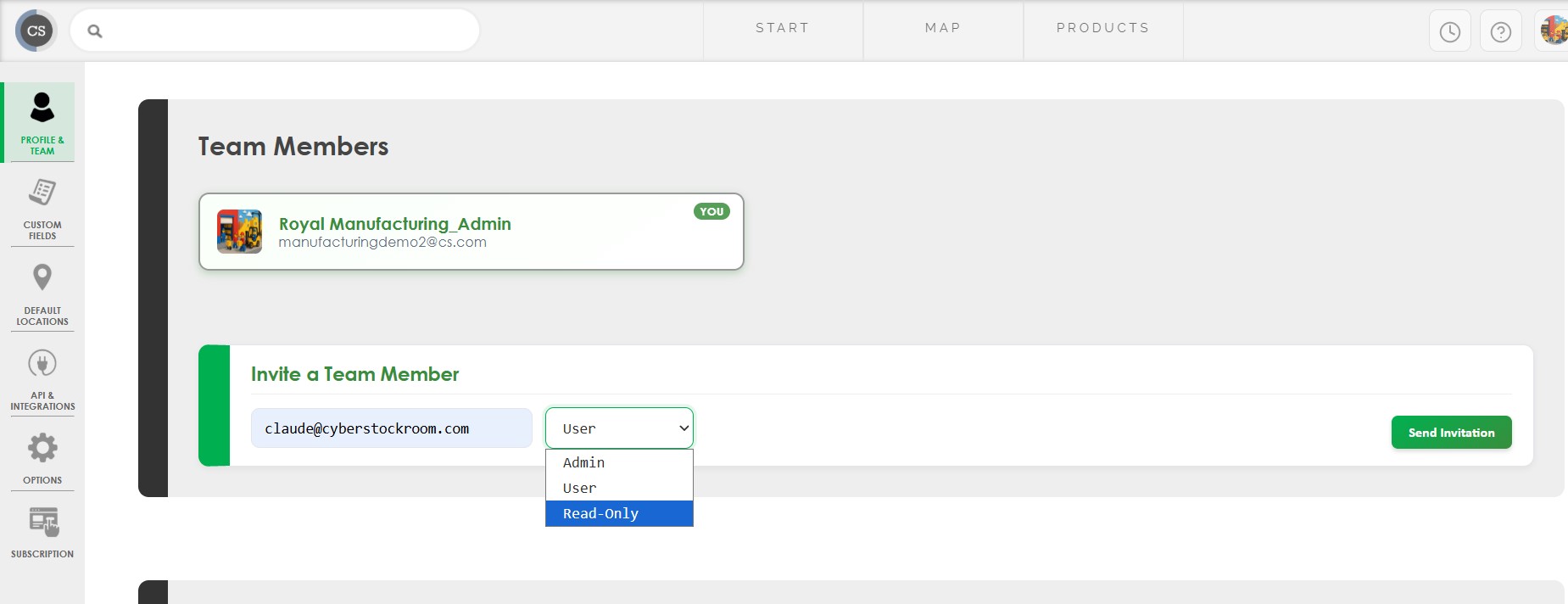
Once the restriction is in place, the user will only be able to view information in the system. This helps maintain data integrity while still providing visibility.